Headshots for Business Cards and Badges: Creating a Professional First Impression
When someone hands you a business card, you probably don’t remember the font or the logo. What sticks is the face, if there is one. That’s why headshots for business cards aren’t just decoration. They’re the detail that makes people actually remember you days or even weeks later.
Badges work the same way. They’re not just plastic keys that get you through the door. That little photo becomes part of how people see you every single day. In many companies, it doesn’t stay on the badge. Headshot for badge shows up in employee directories, Slack profiles, and even apps that clients use to interact with your team.
So if your headshot feels like an afterthought, the impression it leaves will feel the same. That’s why we need to talk about what makes these photos effective in print, in digital, and at the scale where most people see them.
Why Your Headshots for Business Cards & Badges Are Important
People remember faces far better than names. Studies in networking circles have confirmed it: business cards with photos stick longer in memory than text-only ones.
When it comes to badges, the stakes are different but just as real. More and more, those images are linked to digital systems. That means your “badge photo” could be the same one a client sees when you email them. Suddenly, that quick snapshot under fluorescent office lighting doesn’t feel so harmless anymore.
Headshots for Business Cards: What Works (and What Doesn’t)
Shrink your LinkedIn headshot down to the size of a postage stamp. Does it still look like you? Most probably not. Most headshots fall apart at business card scale because they weren’t designed for it.
That’s why composition matters. Go tighter than you think: shoulders up, very little empty space. A warm smile that looks approachable at one inch tall will do more for you than a perfectly lit full-body portrait.
Printing adds another layer. Web images are usually 72 DPI; printers need 300 DPI. If you don’t start with a high-resolution file (2000 pixels on the shortest side), you’ll end up with a grainy blur that makes you look careless.
Clothing plays tricks with small sizes, too. Tiny stripes or checks can create a weird ripple effect called moiré. That’s pretty easy to fix: go for solids or subtle textures that hold up when reduced.
Let’s not forget the background. If you’re in a gray suit and your business card design uses gray, you’ll vanish. You want contrast, something that makes your face the focal point, not the casualty of poor color choices.
Headshots for Badges: Do’s, Don’ts, and Insider Advice
Headshot for badge looks simple, but it comes with its own quirks. Many systems auto-crop into circles or ovals. If your photo’s too tight, you’ll lose the top of your hair or clip your shoulders. A little headroom saves you from awkward crops.
Lighting is another overlooked issue. Dramatic shadows may look artsy, but they can trip up facial recognition software. Security systems like even, flat light, and so will your colleagues.
Clothing choices matter here as well. A white shirt on a white background? Some systems will flag it as unusable. Choose something that separates you from the backdrop, similar to what you’d do for headshots for business cards.
Watch out for the office fluorescent glow; that yellow-green tint isn’t flattering on anyone. If you can, stand by a window or use a neutral LED source.
Let’s talk about expressions. Keep it simple. A small, approachable smile works. A broad grin or exaggerated pose may not get rejected, but it can look out of place when the image doubles as your profile in company software.
DIY vs Professional: What Are Your Options?
Traditionally, you had two choices for headshots: do it yourself at home/office, or hire a professional photographer. Both work, but each has trade-offs. DIY at home can save money, but it’s easy to run into issues with lighting, sizing, and resolution. A photographer, on the other hand, delivers quality but requires scheduling, travel, and a bigger budget.
There’s now a third option filling the gap: self-serve headshot studios like Studio Pod. Think of it as a DIY photo booth designed specifically for professional headshots, without the awkwardness of a full photo shoot.
You step into a private, comfortable space already equipped with a high-quality camera, professional lighting, and guided on-screen prompts that help you pose. The whole process takes about 15 minutes, which makes it one of the fastest ways to walk away with polished, print-ready headshots for business cards and badges.
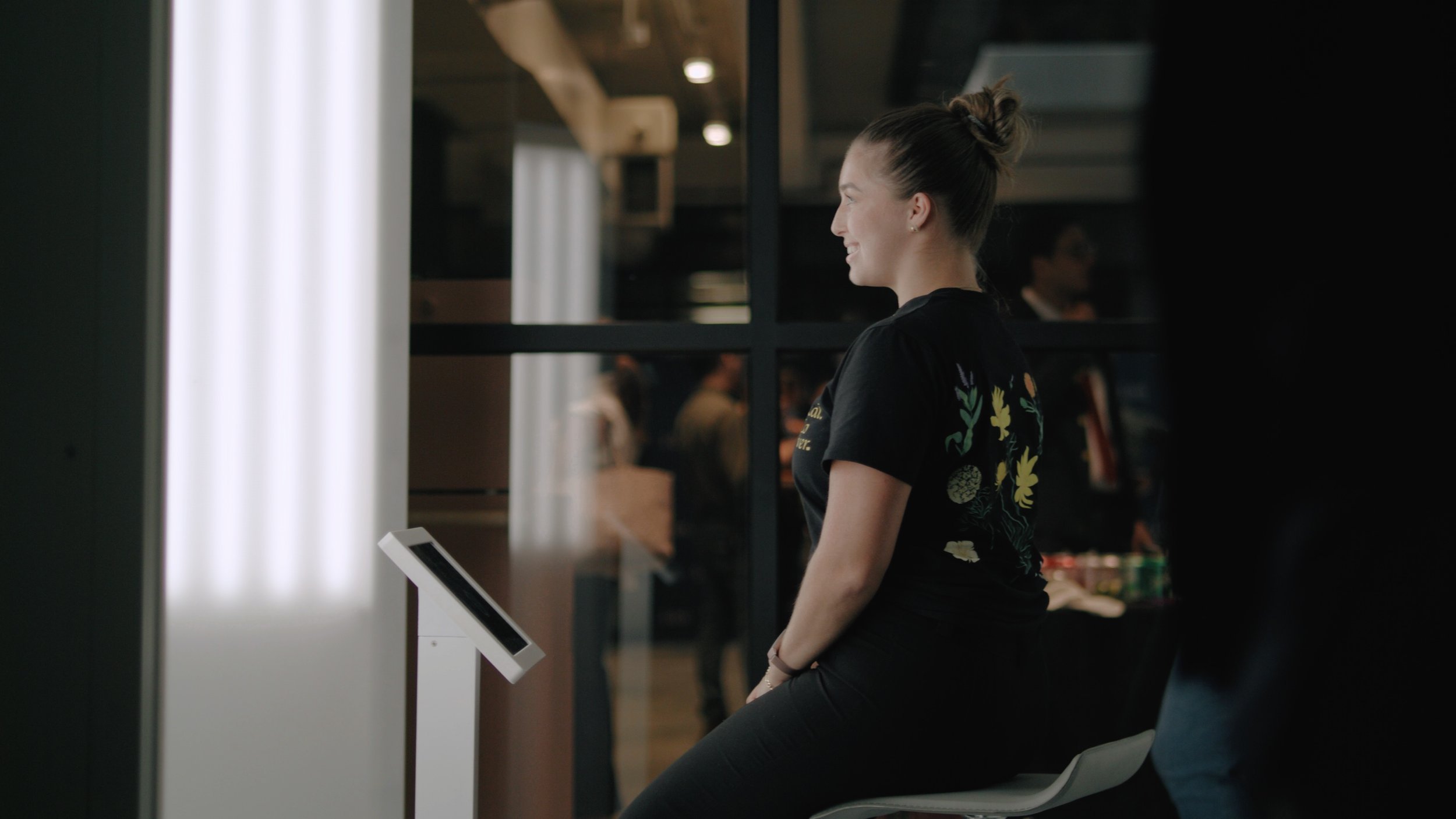
This kind of setup is ideal. You get multiple shots in one session, so you can crop one tightly for an ID badge while keeping another slightly wider for a business card. The images are instantly delivered to your phone or email, already retouched for things like lighting and skin tone, and you’ll typically have 15 or more photos to choose from.
That’s a big advantage over both DIY (where you’re stuck editing on your own) and traditional photography (where you often wait days for delivery).
What makes it even better is the mix of cost and convenience. For about $50, you get results that look like a professional shoot without the price tag or the wait. It’s a middle ground that actually works: quick, consistent, and easy to fit into a busy schedule.
In short: if you want your business card and badge photos done right without losing half your day (or half your paycheck), a self-serve headshot pod is one of the smartest solutions available.
Shared Pitfalls to Avoid
Most headshots for business cards and badges don’t fail because of obvious things like a bad smile. They fail because of details people don’t think about until it’s too late:
Outdated photos. If your headshot is more than three years old, or if you’ve changed your hairstyle, glasses, or facial hair, people notice. And it creates a disconnect between the person on the card and the person in front of them.
Inconsistent branding. One sleek headshot on LinkedIn, a casual selfie on your badge, and something else entirely on your card? That inconsistency makes you look less professional than you are. Pick one style and carry it across platforms.
Over-editing. Yes, AI filters can make your skin look flawless. But if the real-life you walks into a meeting looking noticeably different, trust takes a hit. Subtle adjustments are fine; heavy retouching is not.
Aspect ratio mistakes. Printers and badge systems don’t crop the way Instagram does. Sending in a square file often results in stretched or compressed faces. Always check the specs before you upload.
Distracting backgrounds. Shiny glass, patterned wallpaper, or bright colors might look fun in the moment, but they create glare or visual clutter in print. A simple, neutral background keeps the focus where it belongs, on your face.
A Quick Gut Check Before You Print or Upload
Before you hit send or send-to-print, do this: print your photo at actual size on a home printer. What looks crisp on a screen can suddenly reveal blurriness, poor contrast, or moiré patterns in print. It’s the fastest way to catch issues before you hand 500 copies of your card to strangers.
If you got your headshot for badge and business card from Studio Pod, you’ll already walk away with images designed to hold up in print. You can still test a copy at home for peace of mind, but the files you get are optimized so they won’t collapse into a blur when they’re shrunk down.
Bottom Line
Headshots for business cards and headshots for badges are memory anchors, recognition tools, and quiet signals of professionalism. Getting them right doesn’t have to mean spending hundreds of dollars or juggling endless editing tools.
More innovative options now exist: self-serve studios like Studio Pod make it possible to walk in, relax, and walk out minutes later with a full set of professional images. In the end, the photo is about being remembered for the right reasons, so you'd better get it in the right setting.
Joseph West
Photographer, CEO of Studio Pod
Joseph is a serial entrepreneur with over 20 years of experience in the intersection of technology and creativity. He has initiated and expanded multiple ventures, leveraging AI for multiple photography applications.