

Your headshot is often the first thing people see before they ever shake your hand or visit your website. And yet, most people spend all their energy on the look, the outfit, the lighting, the smile, without giving a second thought to something that quietly shapes every single one of those impressions: orientation.
Vertical vs. horizontal headshots is one of those decisions that feels minor until it isn't. Get it wrong, and your photo gets awkwardly cropped on LinkedIn, looks off-center on a business card, or just fails to communicate the polished professionalism you were going for. Get it right, and your headshot does the heavy lifting across every platform, profile, and printed piece you'll ever use it on.
What Is the Difference Between Vertical and Horizontal Headshots?
The difference between landscape and portrait comes down to how the image is framed.
A vertical headshot (also called portrait orientation) is taller than it is wide. The camera is held upright, which creates a frame that naturally suits the human body, from the shoulders up to the top of the head. This is the classic, traditional headshot format most people picture when they hear the word "headshot."
A horizontal headshot (also called landscape orientation or a landscape headshot) is wider than it is tall. The camera rotates 90 degrees, producing a frame that captures more of the surrounding environment, more background, and sometimes more of the subject's upper body or context.
Why Orientation Matters More Than People Think
Most photographers and clients focus on lighting, wardrobe, and expression, all of which matter. But orientation is the silent variable that determines whether a great photo actually works in real-world use.
Consider this: you take a stunning horizontal headshot, and then you go to upload it to LinkedIn. LinkedIn's profile photo display is square (and often viewed as a circle). Your horizontal photo gets cropped, and suddenly half your face is gone, or the composition that looked so elegant in the original is now just... awkward.
Or the reverse, you shoot vertical, and a magazine or website wants to feature you in a wide banner image. Now you're scrambling to add an artificial background or use a cropped version that doesn't quite fit the space.
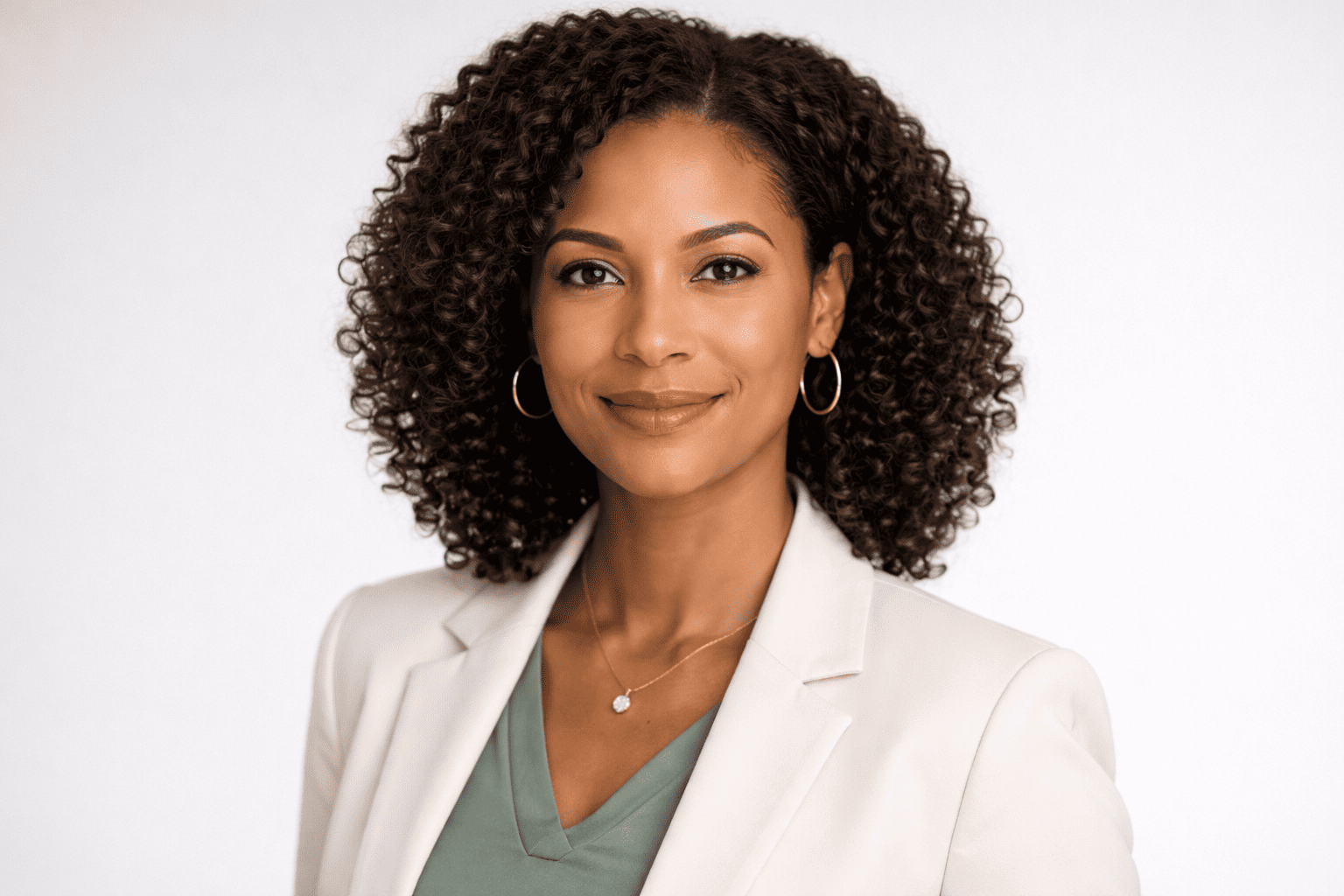
Vertical vs. Horizontal Headshots
Let’s break down the differences.
1. Focus and Framing
Vertical orientation naturally centers attention on the face, unlike a full body shot, where more of the frame is doing the work.. With less horizontal space to work with, the photographer is essentially forced to fill the frame with the subject, which is exactly what a headshot is supposed to do. The result is an image that feels personal and direct.
With a horizontal headshot, the frame widens. A skilled photographer can still keep the focus on you, but there's more compositional work involved. The subject might be positioned off-center, with negative space used artistically. Done well, it's striking. Done carelessly, it can make the subject look small or lost in the frame.
2. First Impression and Attention
Vertical photos demand attention in a way that horizontal ones don't, at least in portrait-dominant contexts. Scrolling through a LinkedIn feed or a directory of speakers, a vertical headshot commands the full column width and draws the eye immediately to the face.
Horizontal portraits can create a more relaxed, approachable first impression. They feel less intense, less corporate, which can work in your favor depending on your brand and your audience.
3. Cropping and Platform Fit
This is where real-world headshot use gets painfully practical. Every platform has its own display format:
LinkedIn, Instagram, and Facebook profile photos are square or circular, vertical headshots crop cleanly into these.
Twitter/X header images and website banners are horizontal; a landscape headshot fits without needing to be artificially stretched.
Business cards and brochures typically use vertical layouts.
Magazine features, editorial spreads, and hero website images often prefer horizontal.
4. Versatility Across Platforms
Vertical headshots are more forgiving when cropped, easier to reformat for most professional platforms, and more consistent with the way modern headshots are usually expected to work across digital use.
That said, if your work skews toward digital media, creative industries, or editorial features, horizontal creative headshots offer flexibility that vertical simply can't match.
5. Composition and Visual Balance
Vertical framing follows the natural lines of the human form; it's why portrait orientation exists in the first place. A well-composed vertical headshot has a sense of visual completeness that feels effortless.
Horizontal composition requires more intentionality. The photographer needs to fill the extra width meaningfully, whether through environment, posture, or deliberate negative space. When that's done well, horizontal portraits have a cinematic, editorial quality. When it's not, they just look like someone held the camera sideways for no reason.
When to Use a Vertical Headshot
Vertical headshots are the right call in most professional contexts, like if you're building a personal brand in a field where credibility and trustworthiness matter, such as real estate, financial advising, law, or medicine, a clean vertical headshot is your default.
Specific situations where vertical orientation is the stronger choice:
Professional profile photos (LinkedIn, company websites, directories)
Business cards and printed marketing collateral
Speaker bios and event programs
Email signatures
Real estate marketing materials, including listing presentations and agent profile pages
Editorial submissions where the publication uses portrait-format layouts
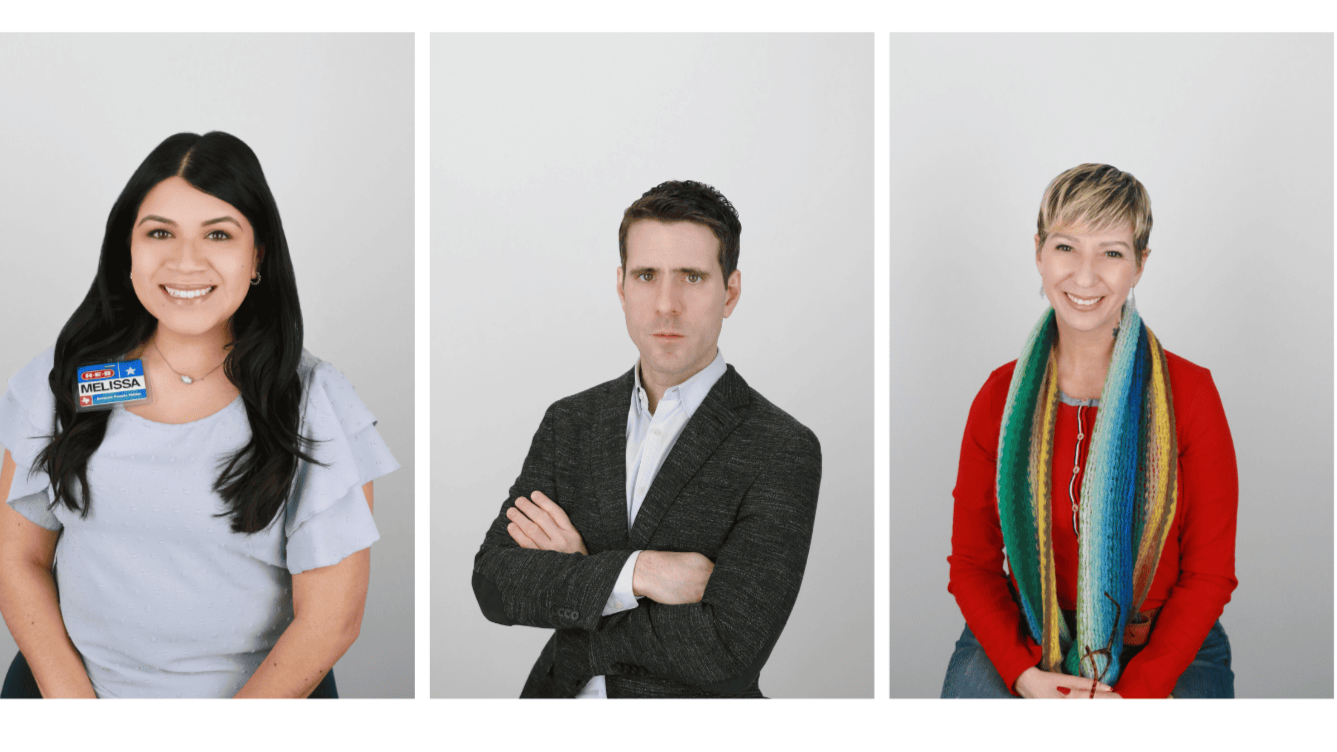
When to Use a Horizontal Headshot
Horizontal headshots have their moment, and in the right context, they're the better choice.
If you need a photo that incorporates environmental context, a landscape headshot gives you that room. An agent photographed with a lakefront backdrop. A consultant in front of a landmark office building. A creative director in their studio. The wider frame makes the setting part of the story.
Use a horizontal headshot when:
Website hero banners or headers need a wide-format image
PR and media features request a wider editorial-style photo
Social media cover photos (LinkedIn banner, Facebook cover, Twitter/X header)
Presentations and slide decks where a wide-format image integrates cleanly into slides
Team pages with wide-format card layouts
Print advertising in wide-format publications or billboards

Horizontal vs Vertical Headshots for LinkedIn
LinkedIn deserves its own conversation because it's where most professionals' headshots are judged most often.
LinkedIn's profile photo display is a circle cropped from a square. The platform recommends a photo that's at least 400 x 400 pixels, and the ideal aspect ratio is 1:1. That means a vertical headshot wins on LinkedIn, plain and simple. A vertical or square-cropped photo drops into the circle cleanly, keeping your face centered and fully visible.
A horizontal headshot uploaded as a LinkedIn profile photo almost always suffers. The platform crops to a square, and since horizontal portraits are wider than they are tall, you're likely to lose the edges of the frame, including potentially parts of your face or shoulders that anchored the composition.
Bottom line for LinkedIn: use vertical for your profile photo, and consider a horizontal image for your banner.
Should You Choose One or Have Both?
If your budget and session time allow for it, have both. It's not a complicated ask, and most professional photographers can capture images in both orientations in the same session without adding high cost or time.
Here's why it's worth it: your headshot doesn't live in one place. It lives on your LinkedIn profile, your company website, your email signature, your business card, a conference program, a press release, a social media post, and a dozen other places you might not anticipate. Each of those contexts has its own best format.
Showing up to a session focused only on vertical (or only on horizontal) limits your flexibility for the next two to three years, which is roughly how long most professionals go between professional headshots.
Final Thoughts
For most professionals, vertical is the workhorse. It handles the majority of use cases cleanly, formats well across the platforms that matter most, and keeps the focus exactly where a headshot should: on you. Horizontal portraits are a valuable complement, especially for digital banners, editorial features, and brand storytelling that benefits from showing your environment.
If your headshot isn’t holding up across platforms, it’s worth revisiting. At Studio Pod, we create images that are designed to work wherever they’re used.


